


You check your weekly report, see a number that makes you wince, and wonder if it’s actually a problem or just modern life. Nobody seems to agree on how much screen time is too much for adults, so the guilt floats around without a clear answer. This guide gives you a simple four-question test, eight practical tips for healthy device use and a seven-day reset that helps you find a number that fits your life.
🌱 Key takeaways
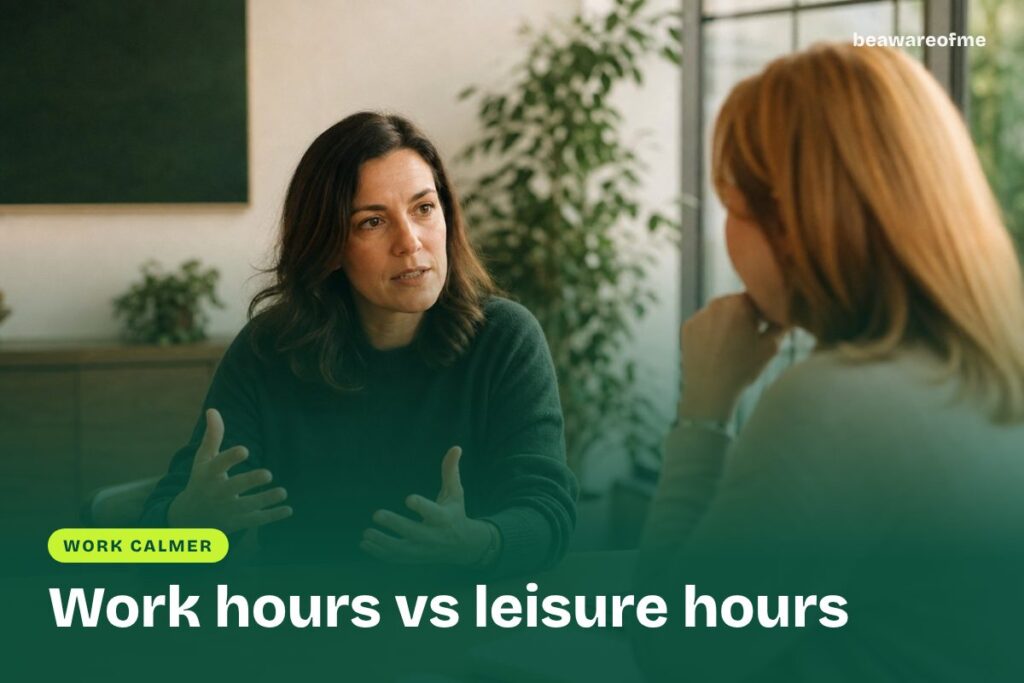
Split your total into work screens and leisure screens, because only the leisure part is really yours to cut.
To judge how much screen time is too much, ask four questions about any screen habit: does it cost sleep, movement, people or mood?
Protect the hour before bed and the first 30 minutes after waking, since those two slots shape the whole day.
Make your phone a little harder to reach with grayscale, fewer alerts and a charging spot outside the bedroom.
Run a seven-day reset and judge it by your sleep and mood, not just by the number on the report.
How Much Screen Time Is Too Much? Why No Number Fits Everyone
No health body has set one official daily screen limit for adults, so the honest answer is “it depends on what you use it for.” A nurse checking rotas, a designer at a monitor all day and a parent unwinding with videos all clock very different hours. What matters is whether the time leaves you calmer or more frazzled.
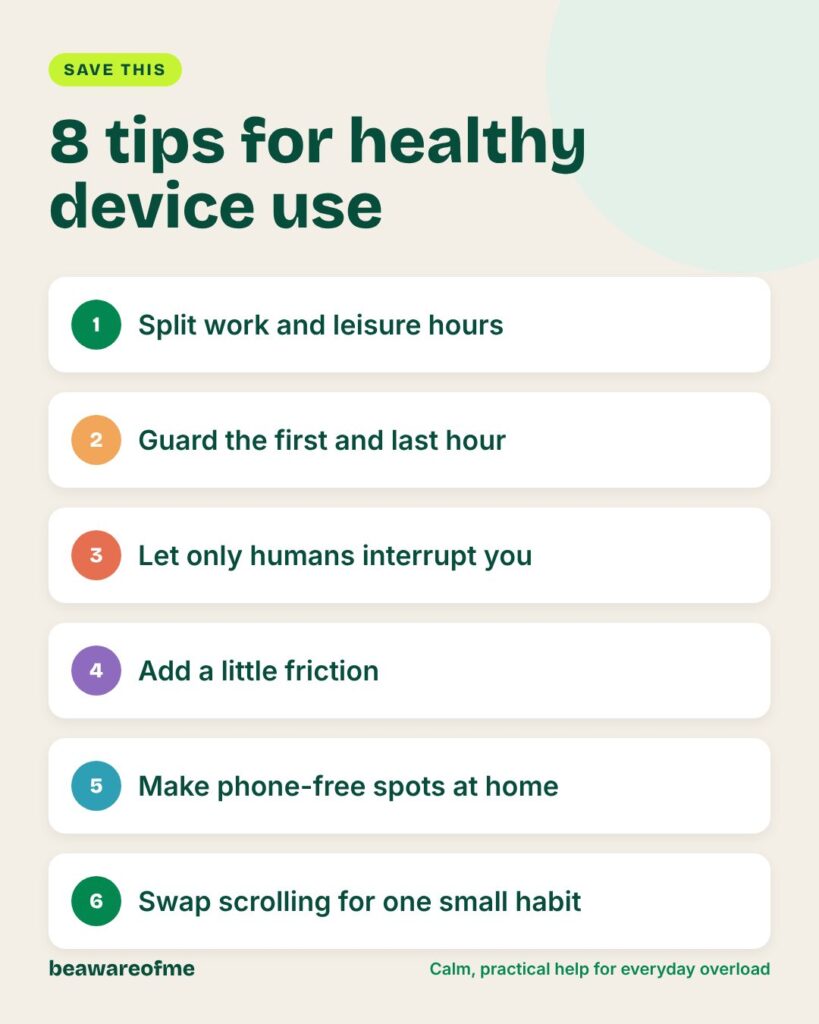
At a glance: the 8 tips in this guide
| Tip | What it looks like | First step today |
|---|---|---|
| 1. Split the number | Work hours vs leisure hours | Open your report, note the top 3 apps |
| 2. Guard the edges | No phone in the first and last hour | Charge it outside the bedroom tonight |
| 3. Cut the pings | Alerts only from real people | Turn off notifications for 5 apps |
| 4. Add friction | Grayscale, logged-out apps | Move social apps off the home screen |
| 5. Set phone-free spots | Table, bed, bathroom | Pick one spot and add a basket |
| 6. Swap, don’t stop | A planned replacement | Choose one 10-minute offline activity |
| 7. Rest your eyes | Look far away, blink often | Set an hourly reminder |
| 8. Review weekly | A calm 5-minute check | Book a Sunday slot in your calendar |
Work screens and leisure screens are different animals
Most adults spend a big chunk of the day on screens for work, and you usually can’t trim that. So when you ask how much screen time is too much, look at the leisure part first. That’s the scrolling, streaming and gaming you choose after the work is done.
A simple rule helps you decide how much screen time to count. If a screen gets something done, count it as a tool. If it fills a gap you didn’t plan to fill, count it as leisure. That split often shrinks a scary eight-hour total into a more honest three or four hours you can actually shape.
Weekdays and weekends need different numbers
Your answer to how much screen time is okay can change across the week. A Saturday film with your family isn’t the same as three hours of solo scrolling on a work night. Many people find weekday evenings are the real pressure point, because tired brains reach for the easiest thing.
So set two numbers rather than one. A lighter weekday leisure limit protects sleep before work. A looser weekend limit leaves room for films, games and long video calls with people you love. If you only fix one, fix the weekday evenings.
The closest thing to a research answer
One of the clearest experiments comes from the SCREENS trial, published in PLOS ONE. Researchers asked adults in 45 families to cut recreational screen use to under three hours a week for two weeks. Compared with families who carried on as usual, they reported better well-being and less tension and fatigue.
164
adults took part in the two-week family screen experiment.
SCREENS trial, PLOS ONE
2.7 h
a week was the median leisure screen use in the cut-back group.
SCREENS trial, PLOS ONE
15.5 h
a week was the median in families who carried on as usual.
SCREENS trial, PLOS ONE
It was a small, short study of healthy adults, and people knew which group they were in. Still, it points the same way many readers already feel: less leisure scrolling tends to leave more room for rest and calm. You don’t need to hit under three hours a week to benefit. Even a smaller cut can shift how your evenings feel.
The 4-Point Check for How Much Screen Time Is Right for You
A better question than “how many hours?” is “what is this costing me?” Run these four checks on your biggest screen habit, and you’ll know how much screen time is worth keeping. If you answer yes to two or more, that habit is probably taking more than it gives.
Does it cost you sleep?
You stay up later than planned, or wake and reach for the phone in the night.
Does it cost you movement?
Hours slip by sitting still, and walks or stretches keep getting skipped.
Does it cost you people?
You half-listen to someone in the room while your thumb keeps moving.
Does it cost you your mood?
You put the phone down feeling flatter, edgier or more behind than before.
Why these four checks beat a timer
Sleep, movement, connection and mood are the things screens most often push aside. A timer only tells you how long. These questions tell you what you traded for it. Two people can watch the same three hours of video, and one feels rested while the other feels drained.
💡 Tip
Answer the four checks out loud, not in your head. Saying “yes, it costs me sleep” makes the trade real in a way a chart never does.
If you answer yes to the mood check
Mood is the quiet signal people skip. If scrolling regularly leaves you lower than when you started, our guide on why scrolling can make you feel worse about yourself explains the comparison loop behind it. For news-heavy feeds, the steps in how to stop doomscrolling work well alongside this test.
You can also check your overall energy with the free How Empty Is Your Battery? self-check. A low score plus heavy evening screen use is a strong hint that the screen is borrowing rest you don’t have.
8 Simple Tips for Healthy Device Use, Part One: Change What Your Phone Asks of You
The first four tips change the phone itself, so it stops tapping you on the shoulder all day. You don’t need willpower for these. Set them once and they keep working while you get on with life.
Tip 1: Split your number before you judge it
Open your weekly report and write down your top three apps. Mark each one as tool or leisure. Now you know how much screen time is really up for debate, and it’s usually far less than the headline figure.
This one step takes the shame out of the number. You’re no longer fighting “seven hours.” You’re looking at, say, ninety minutes of short videos after dinner, which is a much easier thing to change.
Tip 2: Guard the first and last hour
The first scroll of the morning sets your mood before your feet touch the floor. The last scroll at night pushes bedtime later and keeps your mind busy. Keep both edges phone-free and you protect the two most sensitive slots of your day.
If a full hour feels impossible, start with 20 minutes at each end. Buy a cheap alarm clock so the phone has no excuse to sleep beside you. Our guide to setting a digital curfew for your phone walks you through the evening side step by step.
Tip 3: Let only humans interrupt you
Most notifications come from apps that want your attention, not people who need you. Go through your settings and switch off alerts for shopping, games, news and social likes. Keep calls and messages from real people.
✨ Quick win
Turn off notifications for five apps right now. It takes about three minutes, and most people notice a calmer phone by the end of the day.
Tip 4: Add a little friction
Habits run on ease. Move social apps off your home screen, log out after each session and try grayscale mode in your accessibility settings. A gray screen is simply less tempting, and that small pause gives you a moment to choose.
If you’d rather let software do the heavy lifting, our roundup of apps and built-in tools to cut screen time compares the free phone settings with the best blocker apps.
8 Simple Tips, Part Two: Change Where and When You Reach for It
The next four tips change your surroundings and routines, so the phone isn’t the default answer to every spare minute. Think of them as redesigning your day rather than resisting your phone.
Tip 5: Create phone-free spots at home
Pick one or two places where the phone simply doesn’t go: the dinner table, the bed or the bathroom. A basket by the door or a charging station in the hallway makes the rule easy to follow. Our guide to creating screen-free zones has room-by-room ideas.
Tip 6: Swap, don’t just stop
An empty gap pulls you straight back to the screen. So plan what goes in its place: a short walk, a podcast with the screen off, stretching, a crossword or calling a friend. Keep the swap small and ready, like a book on the sofa arm.
🧭 Try this
Write three “instead” activities on a sticky note and put it on the back of your phone case. When you reach for the phone out of boredom, you’ll see the list first.
Tip 7: Rest your eyes on purpose
Long stretches at a screen can leave your eyes dry and tired. The American Academy of Ophthalmology says people normally blink about 15 times a minute, but only 5 to 7 times while looking at a screen. It suggests looking up at something in the distance often and making a conscious effort to blink.
The same page recommends sitting about 25 inches from a computer screen, roughly arm’s length, with the screen slightly below eye level. Set an hourly reminder to look out of a window for a few breaths. Your eyes and your mind both get a break.
Tip 8: Review once a week, kindly
Pick a calm five minutes on Sunday to see how much screen time you actually used and run the four checks again. Notice one win and choose one small change. That’s it. Weekly beats daily, because daily checks tend to turn into another source of guilt.
The goal isn’t fewer hours for their own sake. It’s more of the life the hours were quietly replacing.
— beawareofme
What Too Much Leisure Scrolling Can Feel Like in Your Body
Your body often notices heavy screen use before your mind admits it. Spotting these signs early helps you answer how much screen time feels right with evidence from your own day, not a guess.
| What you notice | What may be going on | Try this instead |
|---|---|---|
| Dry, gritty eyes by evening | Fewer blinks during long screen stretches | Look far away and blink slowly 10 times |
| Stiff neck and shoulders | Head tilted down toward the phone | Raise the screen to eye level |
| Wired but tired at night | Bright, busy content late in the evening | Swap to audio or paper after 9 pm |
| Restless, can’t focus | Constant switching between apps | One task, one tab, 25 minutes |
| Flat mood after scrolling | Comparison and bad-news overload | Close the app and step outside |
The attention side of the story
Switching between apps all day trains your attention to expect a new hit every few seconds. Then a long email or a book feels oddly hard. If that sounds familiar, our piece on why you can’t pay attention explains the pattern and how to rebuild focus in short, kind steps.
⚠️ Watch out
Feeling constantly overloaded by screens, messages and noise is common, but it isn’t something you have to just push through. Our guide to digital overload and mental balance covers the wider picture.
A word about kids and teens
This guide is about adults, and children need different guidance. If you’re trying to work out how much screen time suits your kids, our parent guide to managing screen time battles is a gentler place to start. Your own habits matter too, since children copy what they see.
A 7-Day Reset to Find How Much Screen Time Works for You
Instead of picking a number from the internet, run a one-week experiment and let your sleep and mood decide. You’ll end the week with a personal limit that you actually believe in.
Days 1 and 2: Just watch
Change nothing. Note your leisure total and how you feel each evening on a 1 to 10 scale.
Day 3: Guard the edges
No phone for the first 30 minutes after waking or the last 30 before bed.
Day 4: Cut the pings
Switch off alerts for every app that isn’t a real person.
Day 5: Add friction
Grayscale on, social apps off the home screen, logged out after use.
Day 6: Swap one slot
Replace your biggest scrolling slot with a walk, a call or a book.
Day 7: Review and set your number
Compare your mood scores. Your new leisure limit is whatever felt best.
How to read your results
Day 7 is where you finally get a personal answer to how much screen time suits you. Look at the evenings you scored highest and check what your leisure total was on those days. That figure, give or take half an hour, is your starting limit.
If your mood and sleep improved on the lighter days, that’s your answer to how much screen time is too much for you. Write that number down and keep it for a month. If nothing changed, try a deeper cut or focus on the late-evening slot, which often matters most.
☑️ Try this today
Your one-week screen reset checklist
Write down your leisure screen total for two normal days.
Charge your phone outside the bedroom from tonight.
Turn off notifications for at least five apps.
Switch on grayscale for one full day.
Plan one offline “instead” activity for your hardest hour.
Score your mood each evening from 1 to 10.
Want a bigger break once the week is done? A short digital detox can work as a weekend reset, as long as you return to a routine you can keep.
5 Common Mistakes That Keep Your Screen Time Stuck
Most people who try to cut how much screen time they use don’t fail for lack of willpower. They fail because the plan was set up to break. These are the traps worth stepping around.
Mistake 1: Counting work screens as failure
Lumping your work hours into the total makes the number feel hopeless, so you give up. Instead, track leisure separately. Judge yourself only on the part you can choose.
Mistake 2: Going cold turkey overnight
Deleting every app on a Monday feels brave, but it usually ends in a big Friday binge. Cut one slot at a time instead, starting with the hour before bed.
Mistake 3: Using willpower against a phone built to win
Apps are made to keep you scrolling, so a pure “just stop” plan rarely lasts. Change the setup instead: fewer alerts, harder access and a phone that lives outside the bedroom.
Mistake 4: Chasing a number you read online
Someone else’s answer to how much screen time is fine fits someone else’s life. Fixating on a figure turns the report into a judge. Base your limit on how you sleep and feel, then revisit it monthly.
Mistake 5: Leaving the gap empty
Cutting screen time without a plan for the free minutes creates restless boredom, and the phone wins again. Decide in advance what fills the gap, even if it’s simply sitting with a cup of tea.
Screen Time Questions People Ask Most (Answered Simply)
How much screen time is too much for an adult per day?
There’s no official daily limit for adults. A practical approach is to separate work screens from leisure screens and keep leisure use to a few hours a day. It becomes too much when it regularly costs you sleep, movement, time with people or your mood. Use those four signs, not a fixed number, to judge your own habits.
Is 7 hours of screen time a day bad?
Not automatically. How much screen time is a problem depends on the mix. If most of those hours are work, the bigger question is your leisure use and how you feel. Seven hours of scrolling and streaming on top of work is more likely to crowd out sleep and movement. Split the total, check the leisure part and find one slot you could swap for something restful.
Does screen time affect mental health?
It can, depending on how you use it. In one two-week trial, adults who cut leisure screen use reported better well-being and less tension and fatigue. Heavy late-night scrolling, comparison and bad-news feeds tend to affect mood the most. Video calls with friends or learning something you enjoy can feel very different.
How can I reduce my screen time without an app?
Start with your phone’s own settings. Turn off non-human notifications, switch on grayscale, move social apps off your home screen and set the built-in screen time limits. Then change your surroundings: charge the phone outside the bedroom, keep it off the dinner table and plan one offline activity for your usual scrolling time.
Is screen time before bed really that bad?
Late-night screens can push bedtime later and keep your mind busy when it should be winding down. Bright light in the evening may also make it harder to feel sleepy. Many sleep experts suggest stopping screens a while before bed. Try a phone-free last 30 minutes first, then stretch it to an hour if that helps.
What is a healthy screen time goal for adults?
A healthy goal is one you can keep and that leaves you sleeping and feeling better. For many adults, that means a few hours of leisure screen time a day and phone-free bedtimes and mornings. Run a seven-day reset, score your mood each evening and set your limit at the level that felt best.
Knowing how much screen time is too much isn’t about hitting a perfect number. It’s about noticing what your screens quietly replace and taking a little of that back each week. Start with the edges of your day, and let your sleep and mood guide the rest.
🤍 A gentle note
Educational content, not a substitute for professional care. If you are struggling, talk to a doctor or a qualified professional. If you are thinking about harming yourself, contact local emergency services or a crisis line now (US 988, UK and Ireland Samaritans 116 123, or findahelpline.com).