

Your laptop pings, your phone buzzes, a chat bubble pops up, and the email you were writing slips out of your head. By 4 p.m. you’ve been “busy” all day and finished almost nothing, and your shoulders are up near your ears. This guide shows you how mindful technology habits can cut that digital noise at work, with settings to change in five minutes, scripts for your team and small rituals that help you switch off at night.
🌊 Key takeaways
Turn off every notification that isn’t from a real person who needs you soon.
Check email and chat in three or four set windows a day instead of all day long.
Protect at least one focus block daily with notifications off and only one window open.
Agree on response-time expectations with your team, so silence doesn’t feel like neglect.
Set a clear end-of-day shutdown, with work apps closed and work notifications off at home.
Use a one-breath pause before you pick up your phone, and ask what you actually need.
What Mindful Technology Means at Work
Mindful technology is the habit of using your devices with intention rather than reflex. It isn’t about quitting tech or living offline. It’s about making your tools serve your work, instead of your work serving your notifications.

Here’s the whole article at a glance. Pick the row that would make the biggest difference this week.
Mindful technology at work at a glance
| Stress source | What it looks like | Mindful fix |
|---|---|---|
| Notifications | Constant pings, broken focus | Allow only people, silence apps |
| Inbox open all day | Three or four set check times | |
| Chat | Pressure to reply instantly | Agreed response windows |
| Multitasking | Ten tabs, nothing finished | One task, one window |
| After-hours work | Checking email in bed | Shutdown ritual, phone out of bedroom |
| Screen fatigue | Sore eyes, tense body | Microbreaks every hour |
Why your brain finds constant alerts so tiring
Every alert asks your attention to switch tracks. The American Psychological Association reports that the brief mental blocks caused by shifting between tasks can cost as much as 40 percent of someone’s productive time. Errors also rise when you juggle.
So the stress isn’t just in your head. A day of pings asks your brain to restart again and again, and that leaves you drained even when your to-do list barely moved.
The “always on” pressure
The APA also notes that in a digital world it’s easy to feel pressure to be available 24 hours a day. When work follows you home in your pocket, your mind never fully rests. Mindful technology habits put the off switch back in your hands.
40%
Productive time that frequent task switching can cost.
American Psychological Association
24/7
The pressure to stay available that digital tools can create.
APA, coping with stress at work
25 min
A classic focus interval, followed by a 5-minute break.
UCL, Pomodoro technique
7 Mindful Technology Settings to Change in 5 Minutes
The fastest mindful technology wins come from your settings, not your willpower. Change them once, and they work for you every day. Grab your phone and laptop and go through this list.
The quick settings checklist
⚙️ Five minutes, seven changes
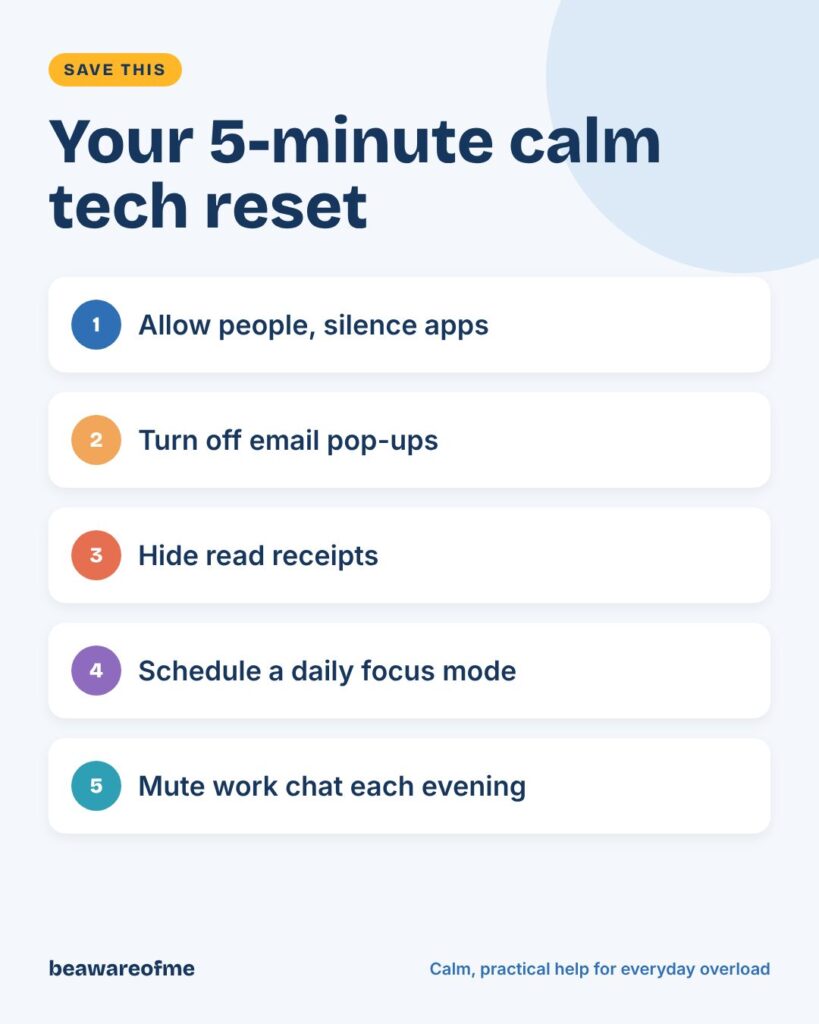
Allow people, silence apps
Let calls and messages from key people through, and mute app alerts.
Turn off email pop-ups
Badges and banners pull you in; check the inbox on your schedule.
Hide read receipts
Turning off “last seen” and read receipts reduces pressure to reply fast.
Set a focus mode
Schedule a daily “do not disturb” window for deep work.
Split work and personal
Keep work apps in their own folder or profile, off your home screen.
Schedule after-hours silence
Mute work chat and email automatically each evening.
Move tempting apps
Put social apps off the first screen, so opening them takes a decision.
Most of these ideas appear in UCL’s evidence-based guide to taking control of technology, which suggests prioritising people over apps and checking email less often. You don’t need every change at once; three is a strong start.
✨ Quick win
Do the “notifications audit” today: for one hour, write down every alert that interrupts you. Anything that didn’t need you right then gets switched off.
Don’t forget your laptop
Desktop notifications can be worse than your phone, because they land right on top of your work. Turn off chat previews and email banners, and close tabs you’re not using. One window, one task.
Email and Chat Without the Constant Ping
Email and chat feel urgent, but most messages can wait an hour or two. A mindful technology approach batches them into set windows, so you respond thoughtfully instead of all day long. The UCL guide notes that checking email less often helps reduce stress.
Try the four-window rhythm
- Start of day (15 min): scan for genuine urgencies only.
- Late morning (20 min): reply to anything that needs you.
- Mid-afternoon (20 min): second round of replies.
- End of day (10 min): final check, then set tomorrow’s priorities.
Between windows, close the inbox entirely. If your role needs faster replies, try hourly windows of five minutes instead. The aim is fewer switches, not ignoring people.
Set expectations with your team
Silence feels less stressful when everyone knows the rules. A short team agreement prevents anxiety on both sides. Try this:
💬 Script for your team
☐“I’m testing focus blocks from 9 to 11 each morning to get deeper work done.”
☐“During that time I’ll have notifications off and reply right after.”
☐“If something’s truly urgent, please call me.”
☐“Does that work for you, or is there a time you’d need me reachable?”
💡 Tip
Add your focus hours to your chat status, like “Focus time until 11, call if urgent.” It answers the question before anyone needs to ask.
Single-Tasking: The Quiet Habit That Calms Your Brain
Doing one thing at a time on your screen is one of the most calming changes you can make. It feels slower, yet it usually finishes work faster with fewer mistakes. Single-tasking is mindful technology in its simplest form.
How to single-task on a busy day
Close every tab and app you don’t need for the current task. Put your phone face down, out of reach. Then set a timer for 25 to 50 minutes and work only on that one thing.
When a distracting thought arrives, jot it on a notepad and return to the task. The thought is safe on paper, and your focus stays intact. Pairing this with time blocking for deadlines gives each focus session a clear purpose.
The one-breath pause
Before reaching for your phone, take one slow breath and ask, “What do I actually need right now?” Sometimes it’s information. Often it’s a break, water or a moment away from a hard task.
That tiny pause turns reflex into choice, and with practice it starts to feel completely natural. It’s the heart of mindful technology, and it takes three seconds.
You don’t need less technology. You need more moments where you choose it.
beawareofme
Screen Breaks That Truly Rest Your Eyes and Mind
Screen breaks work best when they’re truly away from screens. Scrolling your phone during a break swaps one screen for another, so your brain never gets the rest it needs. Short, screen-free pauses restore focus and ease physical tension.
Three breaks that take under five minutes
- Look far away: gaze out a window or across the room for a minute to rest your eyes.
- Move your body: stand, roll your shoulders, stretch your neck or walk to refill water.
- Breathe slowly: try four slow breaths with a longer exhale; our free box breathing coach guides you.
Aim for a short break every hour, plus a real lunch away from your desk. Our guide to microbreaks for calm, productive work has more ideas.
Check your setup
Physical strain adds to mental stress. A screen at eye level, a supportive chair and good light can ease tension through the day. See our guide to ergonomics and workplace stress for quick adjustments.
⚠️ Watch out
Using your phone as a break can leave you more tired than before. If you reach for it automatically, set it in a drawer during work hours and keep a glass of water or a short walk as your default break.
Drawing the Line Between Work and Home
The end of the workday matters as much as the start. Without a clear finish, work leaks into evenings and sleep. Mindful technology gives you a ritual that tells your brain the day is done.
A 10-minute shutdown ritual
Write down where you stopped and tomorrow’s top three tasks. Close work apps and set your out-of-hours notifications to silent. Then do one physical action, like closing the laptop lid or putting it in a bag.
The APA suggests creating clear boundaries, such as not checking email from home in the evening or not answering the phone during dinner, to reduce work-life conflict.
Protect your evenings and sleep
Charge your phone outside the bedroom if you can. The UCL guide suggests keeping your phone away from your bed, and the APA recommends limiting screen use at night for better sleep. Our article on digital curfews and phone bedtimes shows how to start gently.
If you work from home, create a small “commute,” like a 10-minute walk, to mark the shift. The signs in our guide to burnout in remote work are worth a look if evenings never feel like yours.
If you work across time zones
Messages from other time zones can arrive at any hour, which makes evenings hard to protect. Schedule replies to send during your colleagues’ working hours, and add your hours to your email signature. Mindful technology here means agreeing on overlap times, so nobody feels they must answer at midnight.
When something lands late, remember it can usually wait until morning. Unless it’s a true emergency, the kindest reply to a late message is often a well-rested one tomorrow.
Tech That Helps: Using Apps for Calm, Not Clutter
Some technology can support your wellbeing, as long as it stays simple. The trick is to choose a few tools with clear jobs, not pile up apps that each demand attention. Fewer tools usually means less stress.
Tools worth considering
- Focus timers: any simple timer works for 25 to 50 minute sessions.
- Website blockers: browser add-ons that lock distracting sites during focus time.
- Screen time trackers: built-in phone reports show where your hours actually go.
- Breathing or meditation apps: a few guided minutes between meetings.
Our list of apps to cut screen time and boost focus compares several options. Pick one, try it for two weeks and drop it if it adds noise.
The tool-cleanup rule
If two apps do the same job, keep one. Every extra app brings its own alerts, logins and updates. A smaller toolkit is a quieter workday.
📝 Note
Mindful technology isn’t anti-tech. It’s about keeping the tools that genuinely help and quietly retiring the ones that just keep you busy.
Calmer Meetings and Video Calls in 4 Small Moves
Meetings and video calls are where screens quietly eat the most energy. Back-to-back calls, side chats and a camera that shows your own face all day add up. A few mindful technology tweaks make them lighter.
Before the call
Close your inbox and chat before you join, so you’re not half-reading messages. Ask whether this needs to be a call at all; a short written update sometimes does the job better.
During the call
- Hide self-view once you’ve checked your camera, so you stop watching yourself.
- Keep one window open: the meeting, plus notes if you need them.
- Take notes by hand if multitasking tempts you.
- Turn the camera off for listening-only calls when your team allows it.
Between calls
Try ending meetings five minutes early, so nobody runs straight into the next one. Use that gap to stand, drink water and look away from the screen. Small gaps make a long meeting day far more bearable.
🧭 Try this
Suggest “speedy meetings” to your team: 25 minutes instead of 30, and 50 instead of 60. The spare minutes become built-in recovery breaks.
A 7-Day Mindful Technology Reset You Can Start Monday
Changing everything at once rarely sticks, so this plan adds one mindful technology habit a day. By the end of the week, your workday should feel noticeably quieter. Keep what helps and drop what doesn’t.
- Day 1: Do the notifications audit and silence app alerts.
- Day 2: Try the four-window email rhythm.
- Day 3: Share your focus hours with your team.
- Day 4: Single-task for two 45-minute sessions.
- Day 5: Take three true screen-free breaks.
- Day 6: Practise the 10-minute shutdown ritual.
- Day 7: Charge your phone outside the bedroom.
How to check if it’s working
At the end of each day, rate your stress and focus from 1 to 5. After a week, compare the first and last days. Even a one-point drop in stress is a real win, and it shows your mindful technology habits are doing their job.
If nothing shifts, look at the bigger picture. Workload, sleep and support often matter more than settings, and our free battery check can help you see how drained you feel.
When Tech Stress Is Really Work Stress
Sometimes the pinging phone is a symptom, not the cause. If your workload is too heavy or your culture expects instant replies, settings alone won’t fix it. Mindful technology helps, but it works best alongside honest conversations.
Signs it’s bigger than your notifications
- You feel anxious when you’re away from your inbox, even on holiday.
- You check work messages first thing in the morning and last thing at night.
- You can’t remember the last evening you fully switched off.
- You feel exhausted, cynical or detached from work most days.
If several of these sound familiar, read our guide to managing workplace stress and consider talking to your manager. If exhaustion or low mood persists for weeks, please speak with a doctor or qualified professional.
A script for your manager
Try: “I’ve noticed constant messages are making it hard to finish deep work. Could we agree on response times or focus hours for the team?” Framing it around better work makes the request easier to accept.
Common Mistakes That Keep the Pings Winning
Good intentions often trip over a few predictable habits. Here’s what to watch for and what to try instead.
Going cold turkey
Deleting every app or going fully offline usually lasts a day or two. Then everything comes rushing back. Instead, change one or two settings a week and let the habits settle.
Swapping work screens for phone screens on breaks
A “break” spent scrolling keeps your eyes and brain busy. You return just as tired. Instead, step away from all screens for at least a few minutes each hour.
Muting everything without telling anyone
Going silent without warning can make colleagues anxious and lead to more messages, not fewer. Instead, share your focus hours and an urgent-contact option.
Relying on willpower instead of settings
Telling yourself “I won’t check” works poorly when the phone keeps buzzing. Instead, let settings do the work: scheduled focus modes, hidden badges and apps off the home screen.
Ignoring the evening
Many people tidy their workday tech habits but still check email in bed. That keeps stress running into the night. Instead, set automatic after-hours silence and charge your phone outside the bedroom.
📚 Keep reading
Mindful Technology FAQ: Calm Answers to Common Questions
What is mindful technology use?
Mindful technology use means choosing when, why and how you use your devices instead of reacting to every alert. It includes silencing non-urgent notifications, checking messages at set times, single-tasking and keeping clear boundaries between work and home. The goal isn’t to avoid technology, but to use it in ways that support your focus, energy and wellbeing.
How do notifications affect stress at work?
Each notification pulls your attention to something new, and frequent switching between tasks can cost as much as 40 percent of productive time, according to research cited by the APA. That constant restarting leaves many people tired and tense. Limiting alerts to real people and urgent matters reduces interruptions and makes the workday feel calmer and more manageable.
How often should I check work email?
Many people do well with three or four set email windows a day, such as early morning, late morning, mid-afternoon and end of day. If your role needs faster replies, try short hourly checks instead. Close the inbox between windows. Agreeing on response times with your team helps everyone feel comfortable with less instant replying.
Is it okay to turn off work notifications after hours?
For most roles, yes, and it can protect your rest and relationships. The APA suggests clear boundaries, such as not checking email in the evening. Let your manager and team know your hours and how to reach you for genuine emergencies. If your job includes on-call duties, agree on clear on-call times so other evenings stay free.
Can apps actually help reduce screen stress?
Some can, when they have a clear job. Focus timers, website blockers, screen time trackers and short guided breathing tools help many people. The risk is collecting too many apps, each with its own alerts. Choose one or two, try them for two weeks and keep only those that make your day feel quieter.
What if my workplace expects instant replies?
Start by asking what “urgent” really means for your role, and suggest clear response times for different channels. Offering a phone call option for emergencies often makes focus hours easier to accept. If constant availability leaves you exhausted or anxious for weeks, talk to your manager or HR, and consider speaking with a doctor.
Technology at work isn’t going away, but the constant noise doesn’t have to stay. Small mindful technology habits, like fewer alerts, set email windows, single-tasking and a real end to the day, give your attention back to you. Start with one change today, and let a calmer workday build from there.
🛟 Please read
Educational content, not a substitute for professional care. If you are struggling, talk to a doctor or a qualified professional. If you are thinking about harming yourself, contact local emergency services or a crisis line now (US 988, UK and Ireland Samaritans 116 123, or findahelpline.com).